
How to clear IDM URLs history that is shown when I use "Add Url" IDM toolbar button?
You need to open "C:\Users\[your user name]\AppData\Roaming\IDM\" folder ("C:\Documents and Settings\[your user name]\Application Data\IDM\" for Windows XP). Then find and delete "UrlHistory.txt" file.
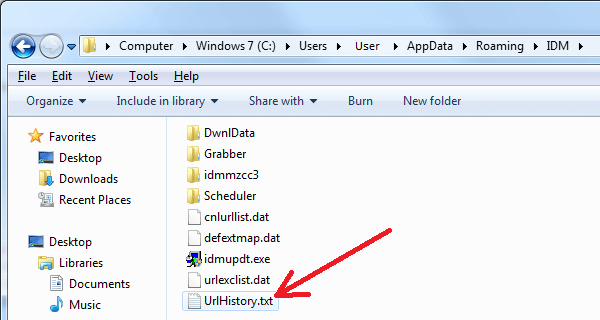
By default "Application Data" folder is hidden. Please read here how to see hidden folders in Windows Explorer.