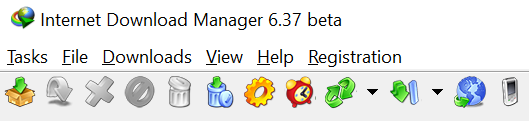
Internet Download Manager has a feature to customize toolbar appearance. You can download a toolbar look that you like, and install it on your computer. The default toolbar appearance has changed. Those users, who got used to old style, may get back to Classic style in toolbar customization menu. Find below installation instructions.
Toolbar look installation instructions
- Download the look of the toolbar in ZIP file.
- Extract all files from ZIP file to <IDM Root Folder>\<Toolbar>\ ("C:\Program Files (х86)\Internet Download Manager\Toolbar\" by default)
- Restart Internet Download Manager (use "Tasks→Exit" menu item in IDM window, and start IDM again from Windows Start menu). IDM will add the new toolbar look to its "View→Toolbar" menu.
Toolbar looks
Small icons
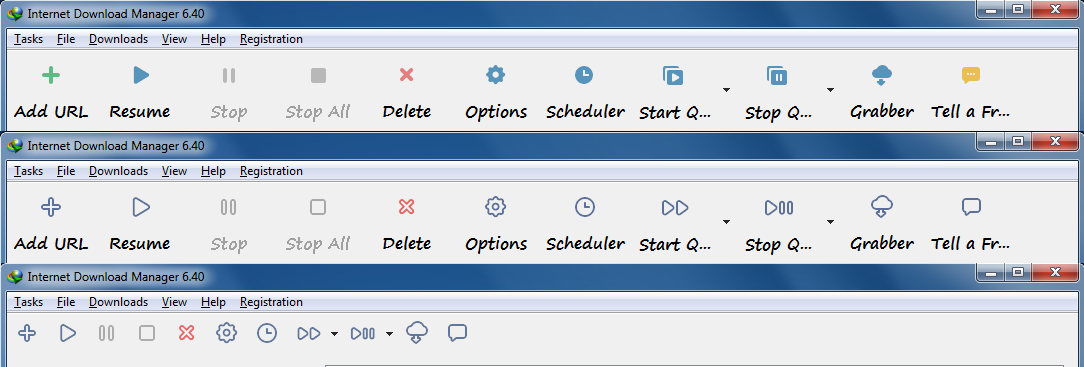
Kiti

Pure Flat (Made by Kavian K.)
Large:
Small:
W10 (Made by Igor Eisberg)
Large:
W8 (Made by Iman Z)
Large:
H3M Glossy Toolbar (Made by Hossam Mamdouh)
Large:
Small:
More toolbars from Hossam Mamdouh: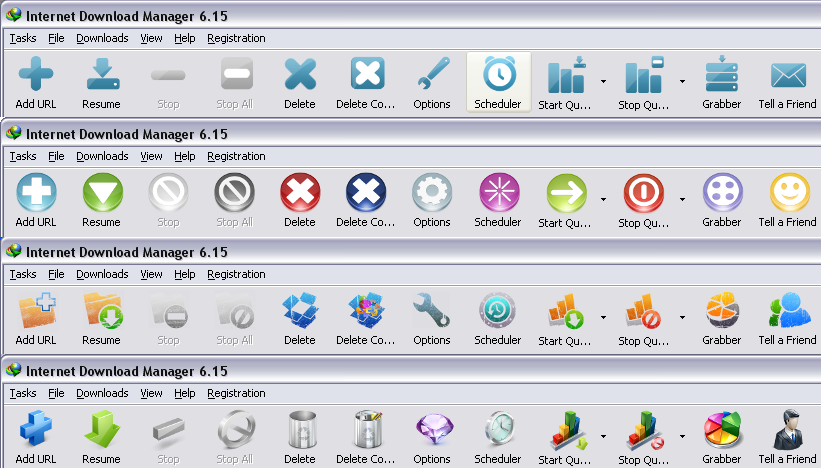
Koushik Halder Toolbar (Made by Koushik Halder)
Large:
Small:
Round Buttons
Small
Lucky Toolbar
Large:
Small:
Thl-Toolbar (Made by Thanasis Ladas)
Large:
MosI3D (Made by Mostafa Rezaee)
Large:
Small:
Flat 2015 (Made by Mohsen Noori)
Large:
Mosi Modern XP (Made by Mostafa Rezaee)
Large:
Kavian K. (Made by Kavian K)
Large:
AM-Skin (Made by Asker Mager)
Large:
Small:
Globe (Made by Akozdem!R)
Large:
Blue Arrow (Made by Mahdi Yousefi)
Large:
Small:
Persian Golf (Made by Kavian Karmostaji)
Large:
Small: