When I try to delete a registry key, Windows shows warning message that I do not have permissions. What should I do?
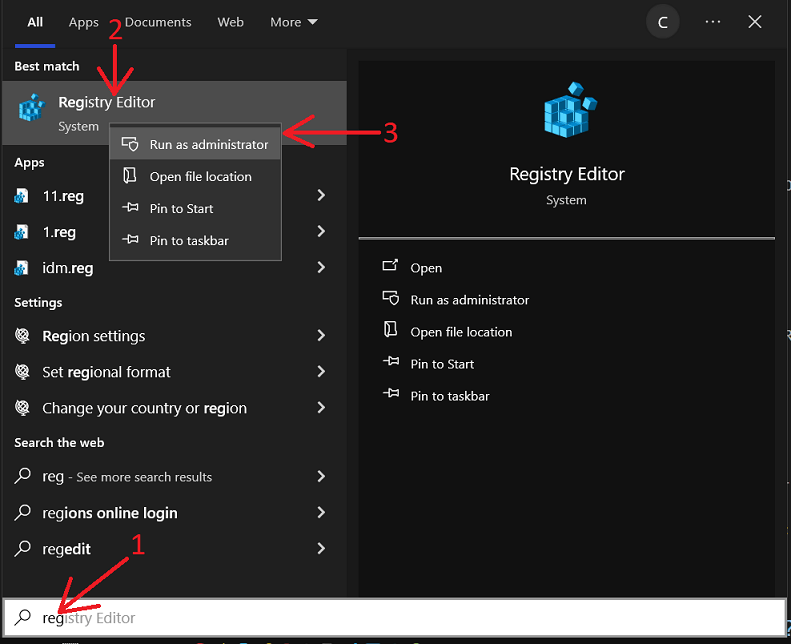
1. First you need to run "Regedit" with administration rights. Use "Start->Search" (arrow 1 on the image) and type "Regedit" (arrow 2 on the image). Then press "OK" (arrow 3 on the image).
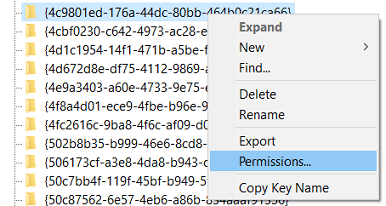
2. Right click the key name that you want to delete and select "Permissions" from the context menu.
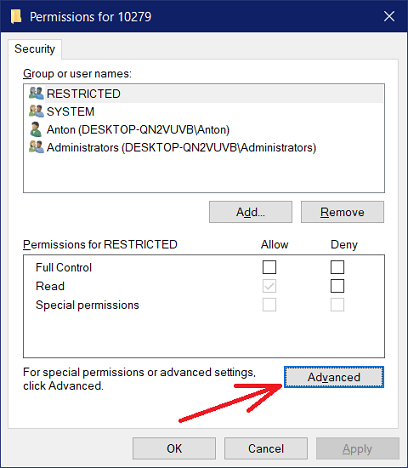
3. In the "Permissions" dialog, click the "Advanced" button.
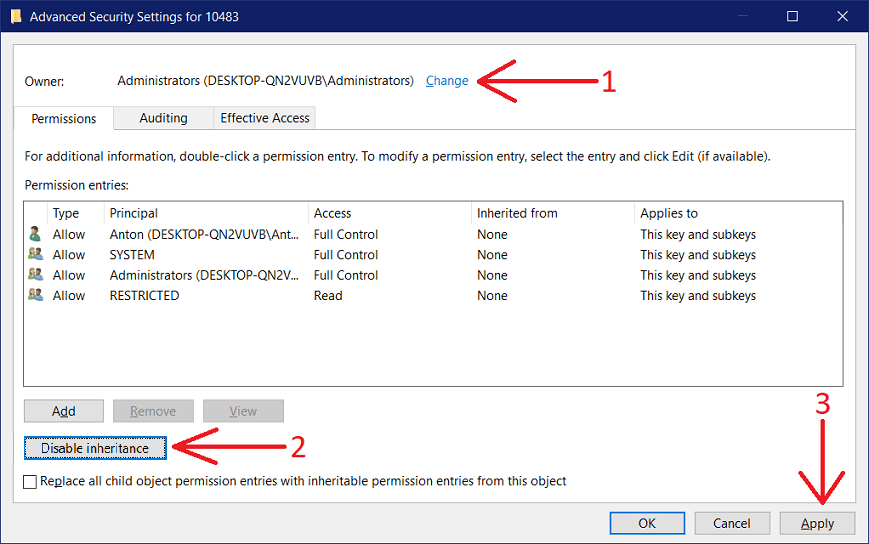
4. If in the "Advanced Security Settings" dialog key owner is not "Administrators" or your Windows user account does not have administrator rights, press "Change" (arrow 1 on the image). In other case you can move to step 6.
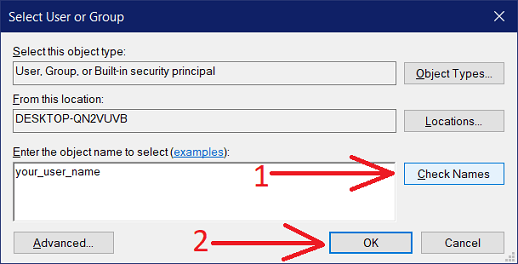
5. Type your user name in edit box and press "Check names" (arrow 1 on the image). Then press "OK" (arrow 2 on the image).
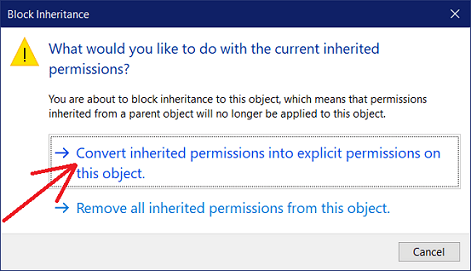
6. In "Advanced Security Settings" dialog press "Disable inheritance" (arrow 2 on the previous image). In the new dialog press on "Convert inherited permissions".
7. Again in "Advanced Security Settings" dialog press "Apply" (arrow 3 on the image) and then press "OK".
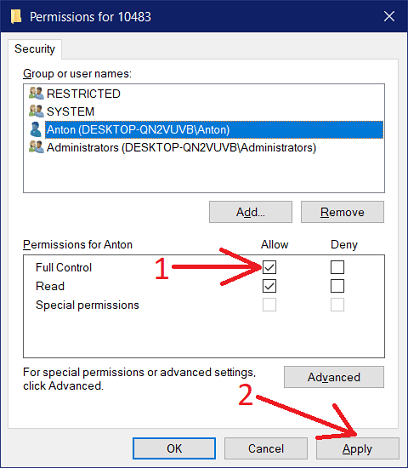
8. When back to "Permissions" dialog, select your user in "Group or user names" list and enable "Allow" checkbox for "Full Control" access rights (arrow 1 on the image). Then press "Apply" (arrow 2 on the image).